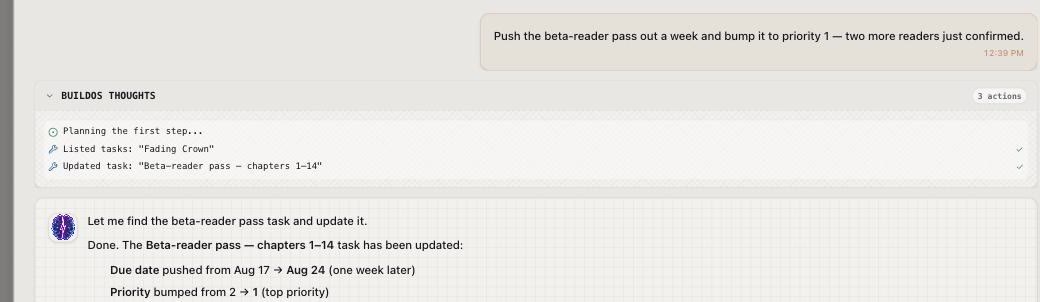
Step 1
Tell BuildOS what you're making.
Start with rough notes or a message.


Swipe the screenshot to read the full example →
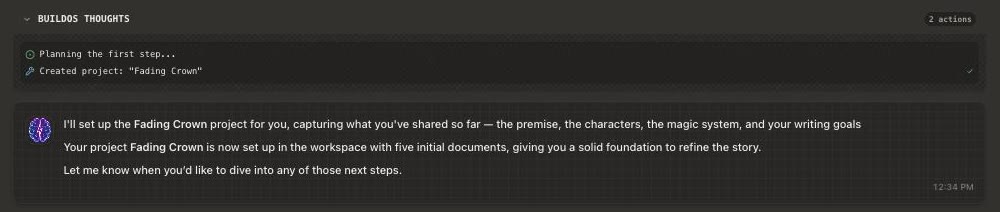
Paste your rough notes or tell BuildOS what you’re working on. It organizes the pieces into tasks, documents, and next steps. Tell it what changes as you go.
Start a project
BuildOS creates the structure while you watch, then gives you a project you can keep using.
Real BuildOS screenshots · example book project
Start with rough notes or a message.
Swipe the screenshot to read the full example →
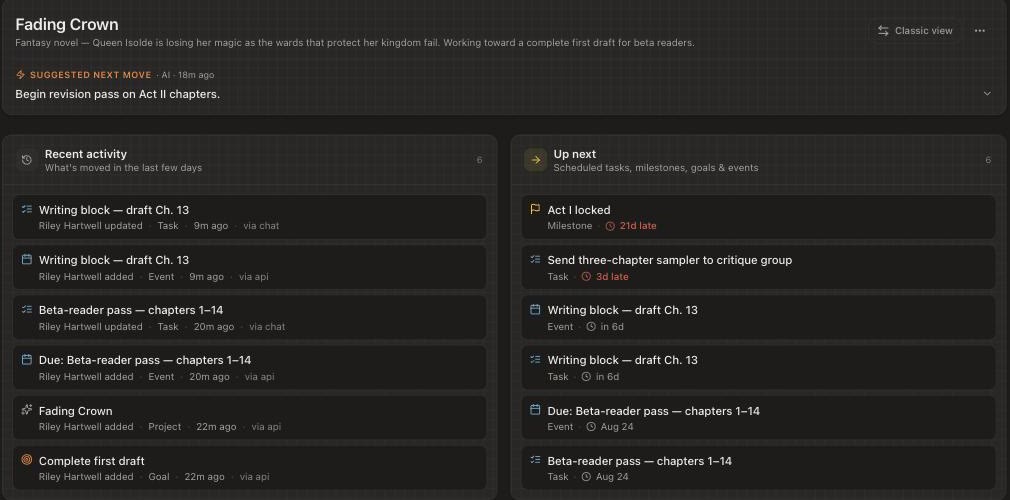
Tasks, goals, and docs appear as it works.
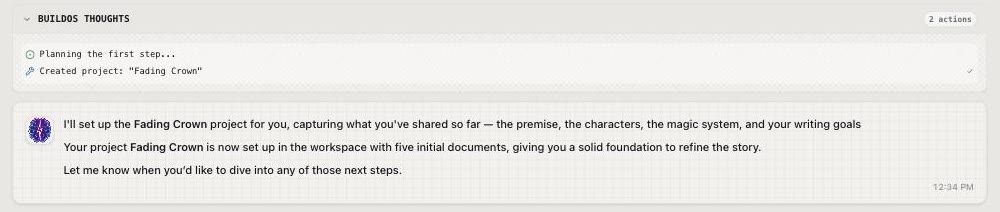
Swipe the screenshot to follow each action →
Open the project, make changes, and pick up where you left off.
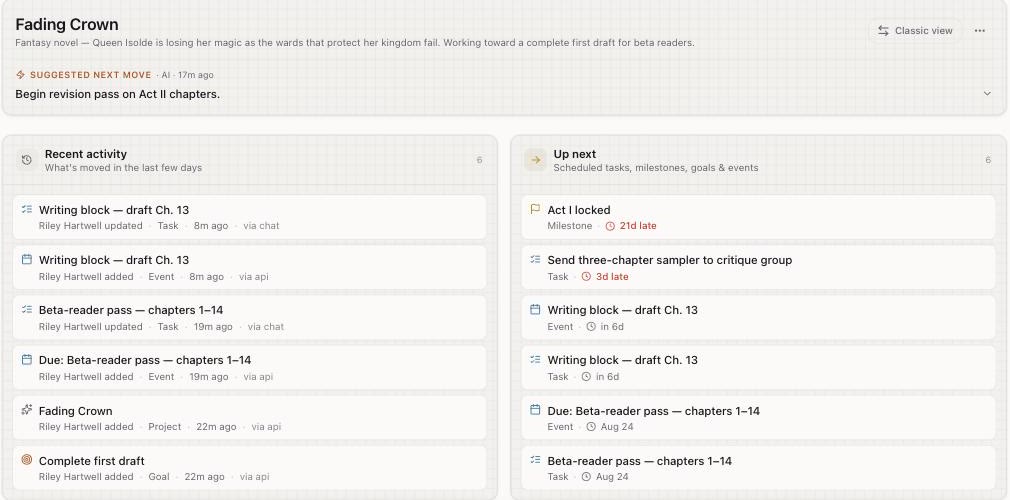
Swipe to explore the project →
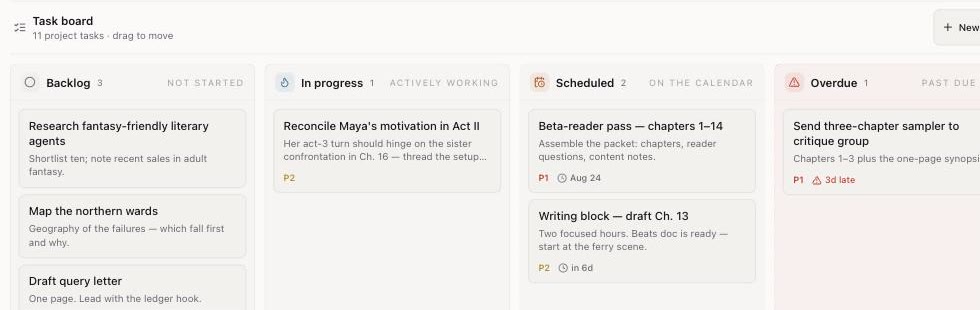
Open the tasks and documents your conversation created.
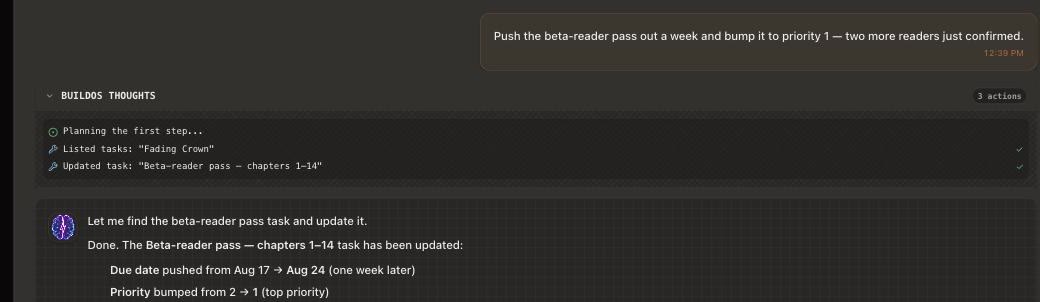
Real changes, made in chat
BuildOS finds the right item, makes the change, and shows you what moved.
Update a task
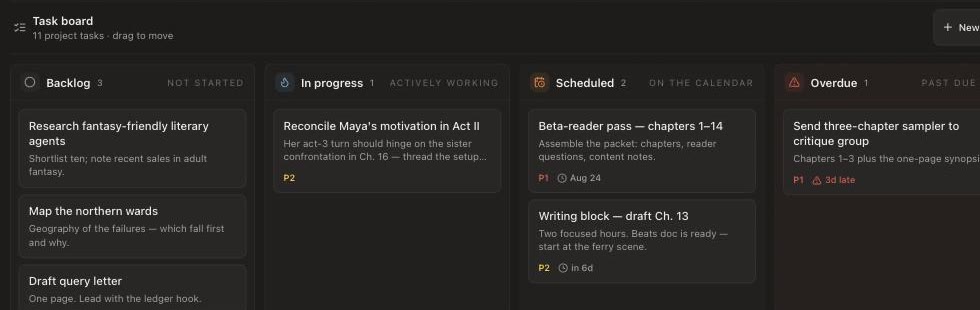
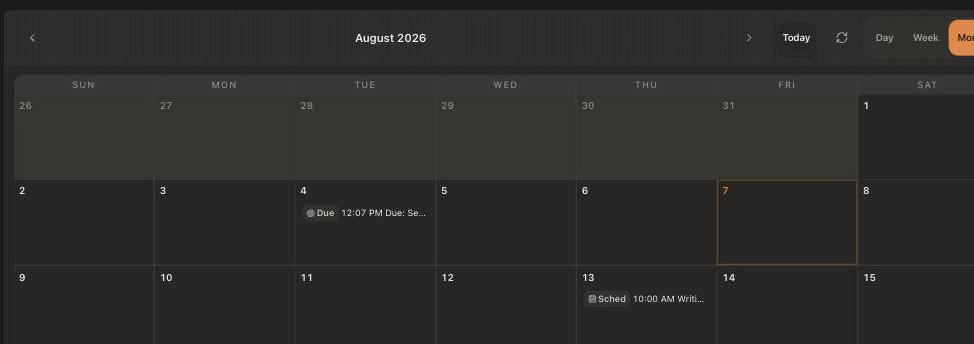
Move something on your calendar

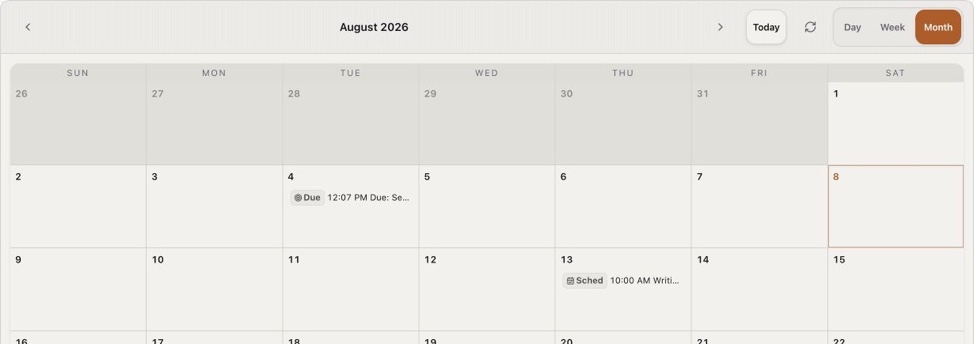
Every change stays attached to the project.
Come back to the same project
Your notes, tasks, and decisions stay with the project. Open it, review where you left off, and choose what to work on next.
1 · Open
Review the project’s notes and unfinished tasks.
2 · Update
Tell BuildOS one thing that changed: something you finished, a new idea, or a deadline that moved.
3 · Continue
Check the updated project and decide what to tackle next.
Built for both
Just you
BuildOS remembers the notes, tasks, decisions, and loose ends so you can return without rebuilding the context.
You + agents
Agents read and update the same project state you use. No prompt archaeology. No hand-built handoffs.
You
Set direction and make decisions.
Agents
Execute scoped work with real context.
BuildOS
Keeps the shared project memory current.
Shared project memory
You set direction. Agents execute. Both work from the same live context.
Share ideas, make decisions, and choose what matters next.
"Push the beta-reader pass to next week. Maya's act-3 turn should hinge on her sister."
The project, its decisions, and its current state stay connected.
Agents pick up scoped work, use the context, and write results back.
"Draft the beta-reader email, move the calendar block, and log the result."
BuildOS is the project memory. You and your agents are the workers.
Project structure
The pieces stay connected without forcing every project into the same template.
The work you're moving.
The outcome you're aiming for.
The path from here to done.
The next concrete actions.
Proof that the work is moving.
Notes, research, and drafts.
Blockers and open questions.
A shape that fits the project.
Optional Google integrations
BuildOS works without a Google connection. Calendar and Gmail are separate, opt-in integrations: you start each connection and approve its requested permissions before BuildOS can access that Google account.
Google Calendar
Choose which connected calendars BuildOS displays. When you enable syncing or request a calendar action, BuildOS can read availability and create, update, or remove events using the permissions you approved.
Gmail · read-only
The current Gmail integration can search and read messages for features you invoke. It cannot send, edit, delete, archive, label, or mark email as read.
You can disconnect either integration at any time. See the Privacy Policy for how Google data is handled and the Terms of Service.
Bring one thing you’re working on. Start with the rough notes you already have.