A BuildOS daily brief is an AI-generated report that uses your goals, plans, tasks, documents, and recent project changes to tell you what matters today. It turns the context you have already built inside BuildOS into a prioritized view of your day instead of another disconnected notification.
The richer your context, the smarter your briefs become. Day 1 briefs are helpful. Day 100 briefs—after you've built real context—feel like having an executive assistant who actually knows your work.
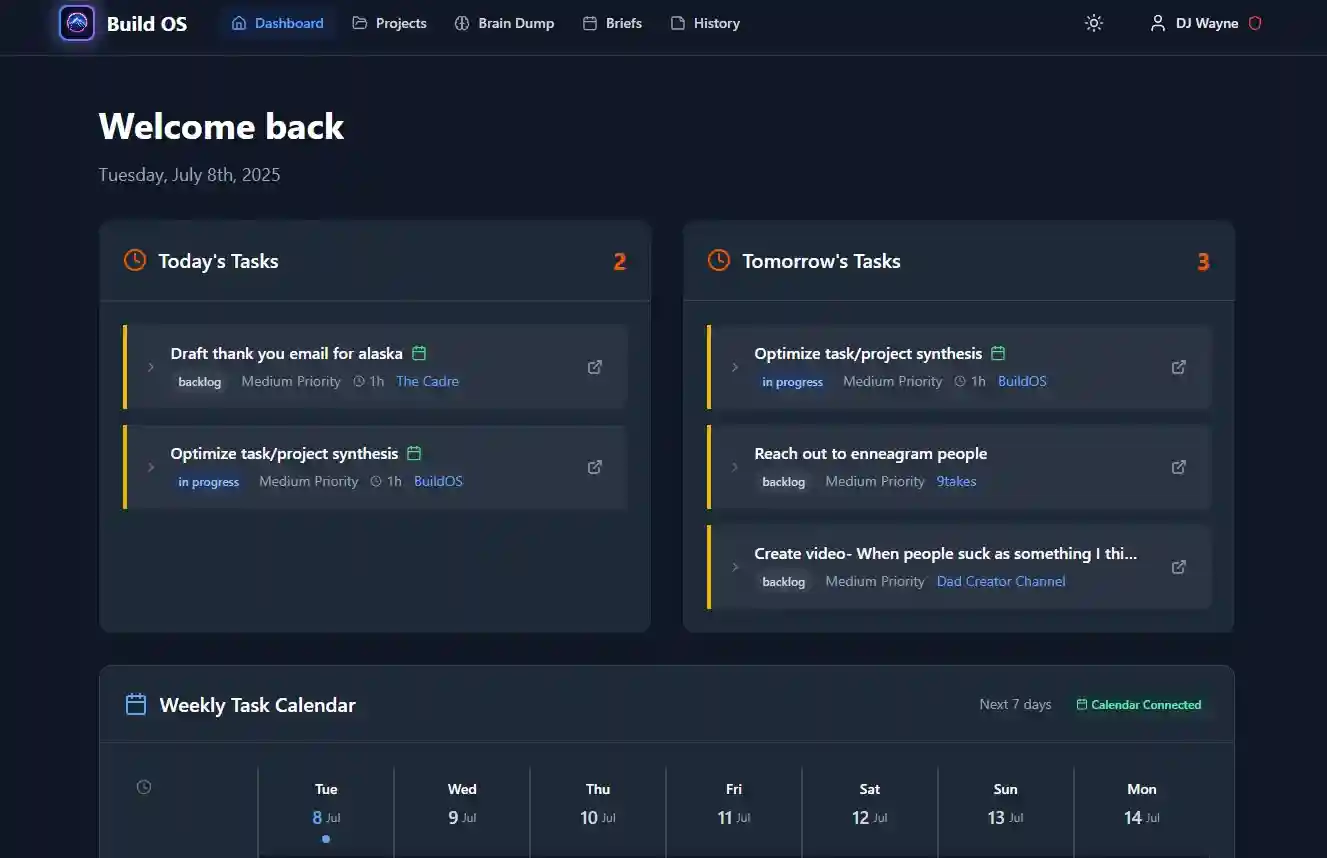
What a Daily Brief Actually Looks Like
Every morning, BuildOS analyzes your projects overnight and delivers a brief tailored to your day. Here's what you'll see:
Good morning. Here's your brief for Tuesday, March 18.
Executive Summary
You have 4 tasks due today across 2 active projects. The website redesign is on track—the design review milestone is 80% complete. Your content calendar has 2 overdue items from last week that are starting to block the launch timeline.Today's Focus
- Finalize homepage wireframes — This clears the design review milestone and unblocks the dev team. High priority.
- Write Q2 blog outline — Overdue by 3 days. Tied to your "grow organic traffic 30%" goal.
- Review contractor proposals — Decision needed by Thursday to keep the redesign on schedule.
Attention Required
- The blog content pipeline has stalled—no new drafts in 8 days. This puts your March publishing target at risk.
- Your "launch MVP by April" goal is 62% complete with 6 weeks remaining. Current pace suggests you'll hit it, but there's no slack if anything slips.
Project Health
- Website Redesign: On track. 3 of 4 milestones complete.
- Content Marketing: Needs attention. 2 overdue tasks, publishing cadence broken.
The brief is split into two parts: here's what's happening and here's what to do about it. It connects your tasks to your goals, flags what's falling behind, and tells you where your attention matters most today.
The key difference from a task list? Your brief knows why things matter. It doesn't just say "write blog outline"—it tells you that outline is overdue and tied to a specific growth goal that's at risk.
Setting Up Your Brief
Getting your first brief takes about 30 seconds.
Go to Settings > Notifications > Daily Briefs and configure:
- Toggle it on — flip "Keep me updated" to active
- Pick your time — choose when you want the brief delivered (e.g., 7:00 AM)
- Set your timezone — so "7:00 AM" means your 7:00 AM, not UTC
- Choose frequency — daily or weekly (daily recommended to start)
- Choose delivery — in-app notification, email, or both. SMS is available too if you've verified a phone number.
That's it. Your first brief generates at your chosen time, and it'll draw from whatever context you've already built—projects, goals, tasks, brain dumps.
If you're brand new and your brief feels thin, that's normal. The fix is simple: use BuildOS more. Every brain dump, every task, every document makes tomorrow's brief sharper.
The Brain Dump Connection
This is the loop that makes briefs feel almost magical once it clicks.
You do a brain dump—stream of consciousness, messy, unstructured. You write "feeling overwhelmed about the launch, need to figure out the pricing page, also Dave mentioned something about the API docs being wrong, and I should probably start thinking about Q2 hiring."
BuildOS extracts that into structured data: tasks get created, projects get updated, goals get connected. Then your next morning brief reflects all of that back to you, organized and prioritized.
The brief might say: "New task from yesterday's brain dump—investigate API docs issue Dave flagged. This connects to your developer experience goal." You didn't file a ticket. You didn't organize anything. You just thought out loud, and the system did the rest.
The more you dump, the smarter your briefs get. It's a virtuous cycle—brain dumps feed context, context feeds briefs, briefs help you focus, focus generates new thoughts to dump. (For more on how context compounds, see Context Engineering 101.)
Your Morning Routine
Don't overthink this. When your brief arrives:
- Skim the executive summary. Get the lay of the land in 30 seconds—what's on track, what needs attention.
- Look for surprises. Anything flagged as blocked, overdue, or at risk? That's where your attention goes first.
- Pick your top 3. The brief suggests priorities. Pick the ones that feel right, ignore the rest. You can always come back.
That's a 2-minute process. Some mornings you'll spend 5 minutes digging deeper. Most mornings, skim-and-go is enough.
The goal isn't to follow the brief like a script—it's to start your day with clarity instead of staring at a task list wondering where to begin.
Go Deeper with Project Lens
Here's where daily briefs get interactive. Project Lens lets you chat about your brief.
After reading your brief, you can zoom into anything that caught your eye:
"Why is the marketing task marked urgent?"
The AI explains based on your context—maybe it's blocking a goal, maybe it's been overdue, maybe there's a dependency chain.
"What should I tackle first today?"
It considers your calendar, your priorities, and what's actually blocked waiting on you.
Drill Into What Matters
Brief mentioned a stalled project? Zoom in:
"Zoom into the website launch—what's really blocking it?"
Now you're in a focused conversation about that specific project, with full context loaded. No switching tabs, no hunting through task boards.
Tune Your Briefs Through Conversation
You can shape what future briefs focus on:
"I want my briefs to focus more on my revenue goal"
"De-emphasize the side projects for now"
"Give me more strategic insights, less task-level detail"
Your brief is the starting point. Project Lens is where you go deeper.
Read Brief (2 min)
    |
Something unclear? Open Project Lens
    |
Ask: "Why this priority?" or "What's blocking X?"
    |
Get context-aware answers
    |
Take action with full understanding
Briefs Get Smarter Over Time
Here's what most people miss: your briefs compound in value.
Day 1, the brief gives you a helpful summary of your tasks. Useful, but generic. By day 30, it knows your projects, your goals, and how they connect. By day 100, it's spotted patterns you haven't—which projects stall on Mondays, which goals are quietly falling behind, which tasks keep getting deferred.
This happens because briefs draw from your full context. Every goal you set, every task you complete, every brain dump you write, every document you add—it all feeds into smarter briefs tomorrow. The system doesn't just look at what's due; it analyzes progress against milestones, tracks goal alignment, and flags when your day-to-day work is drifting from your bigger objectives.
It's the difference between a to-do list and a chief of staff who's been with you for months.
Quick Troubleshooting
"My briefs feel generic."
Add more context. Define your goals, connect them to projects, write brain dumps. The brief can only be as smart as the context you've given it.
"The priorities don't match my gut."
That's fine—your intuition matters. But try following the AI suggestion occasionally, especially when it flags something you've been avoiding. Over time, notice which suggestions you actually follow. That's your signal it's calibrated well.
"I don't have time for this."
Skip straight to the executive summary and the "Attention Required" section. That's 30 seconds and covers 80% of the value. You don't need to read every word.
"The recommendations seem stale."
Make sure your project statuses are current. The brief reflects what it knows—if you haven't updated a project in two weeks, the brief is working with two-week-old information. A quick brain dump catches it up fast.
Your daily brief is your most direct line to BuildOS intelligence. It's not a task list—it's a lens on your work that gets sharper every day.
Start with one week. Read the brief each morning, follow a suggestion or two, do a brain dump when something's on your mind. By day 7, you'll start to feel the difference.
Ready to wake up to intelligence?
Your daily brief is only as smart as your context. Start building today—every brain dump, every task, every document makes tomorrow's brief sharper.